Empeon Hub
- 4.3
- Rating
- 50.00K
- Installs
- Free
- Price

 Analysis by App-foxy
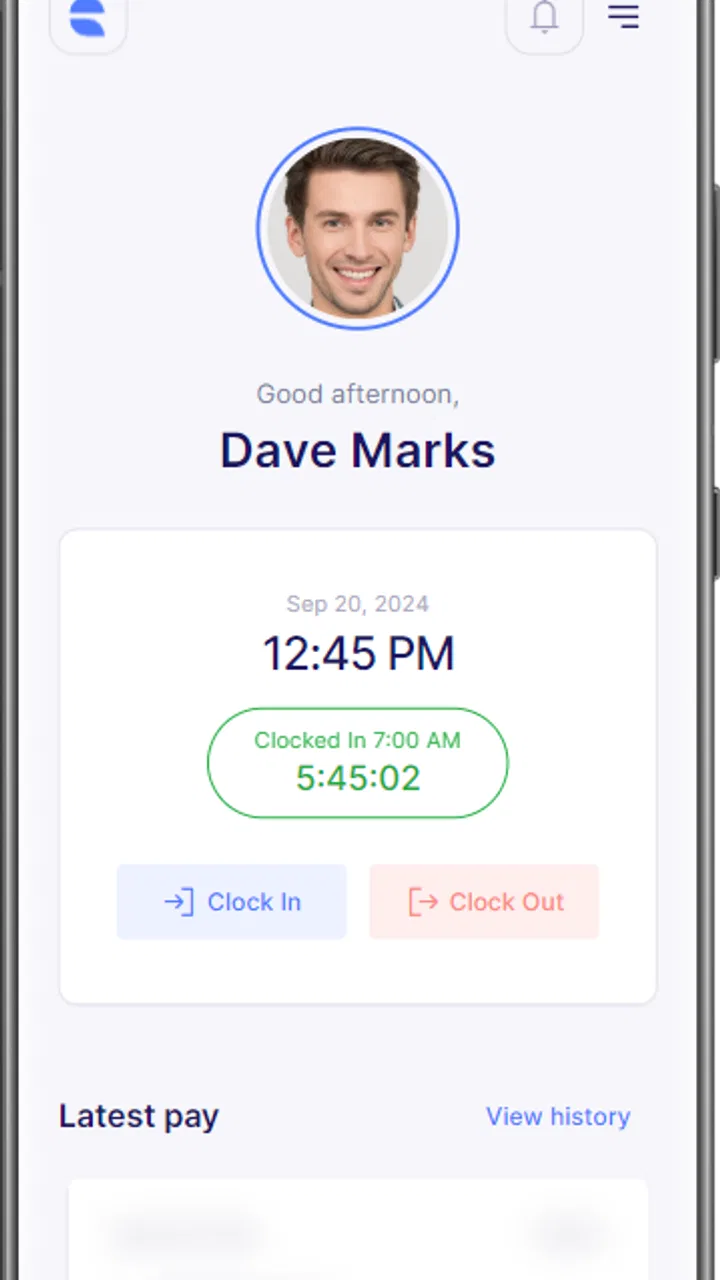
When I open Empeon Hub, I see it as an employee doorway rather than a general-purpose business app. Its role is to give employees access to Empeon’s human capital management tools from a mobile device, so its value depends less on entertainment or broad productivity features and more on whether it makes work-related information easier to reach when I am away from a desk. That narrow purpose is important: this is an app for people whose organization already uses Empeon, not a standalone payroll or workplace platform that anyone can sign up for.
I reviewed it with that expectation in mind. The app is free to download, is aimed at an Everyone audience, and comes from Empeon, the company behind the connected HCM environment. It has passed the early adoption stage with over 50 thousand installs and an average rating of 4.3 from more than 200 ratings. Those figures suggest that employees are finding it useful overall, while also reminding me that a workplace app should be judged by practical access, account control, and the quality of the surrounding employer setup—not by its store score alone.
What Empeon Hub is really for
The most useful way to understand this app is to separate the mobile shell from the HCM services behind it. Empeon Hub is the access point. The organization’s configuration determines what an employee can actually do after signing in. That distinction affects expectations: two people may install the same app but see different work areas because their employers provide different Empeon solutions or assign different roles.
You May Also Like

 Blood Strike: 2.5 Anniversary
Blood Strike’s Loadouts Turn Every Drop Into a Tactical Gamble
A close look at Blood Strike’s custom loadouts: how fast access to signature weapons reshapes its battle royale rhythm, rewards preparation, and narrows the gap between fights.

 Pandora - Music & Podcasts
Pandora’s Music Is Easy to Start, but Harder to Recover
Pandora’s strength is its low-effort path from a seed to a station. Its weak spot is how much confidence it asks you to place in connection, setup, and quiet recovery.

 8 Ball Pool
 Is Built on Rivalries, Rematches, and Routine
A close look at the rivalries, rematches, shared routines, and unanswered safety questions that turn a quick pool match into a persistent mobile community.

 Samsung Music
’s Quiet Strength Is Playing What You Already Own
Its reach comes less from spectacle than from dependable access to a personal library. That simplicity is both the app’s strongest retention engine and its ceiling.

 AccuWeather: Weather Radar
AccuWeather Review: A Quick, Clear Forecast for Everyday Decisions
For everyday plans, the best forecast is the one you can understand quickly. AccuWeather makes rain timing, radar, and local conditions easy to act on, with a few trade-offs.

 Hill Climb Racing
Why Hill Climb Racing Still Turns Crashes Into One More Run
A tiny car, a bumpy hill and one more upgrade: Hill Climb Racing keeps resurfacing because its simple chaos makes every near-miss feel personal.
More From Our News Desk
View All News


In everyday use, that makes the app more relevant to an employee checking work information between tasks than to a manager looking for a complete administrative console. I would use it when I need a quick mobile route into the systems my employer has enabled. I would not install it expecting a universal job tracker, a personal finance tool, or an independent payroll service. Its usefulness begins only after the employer relationship and account access are already in place.
The current release is version 3.0.7, and the app supports devices running Android 6.0 or later. That broad operating-system requirement makes it approachable for people who keep an older phone, although compatibility alone does not guarantee that every screen will feel equally comfortable on a small display. HCM information can be dense, and a phone is naturally less convenient than a desktop when a task involves reviewing several details or entering information carefully.
Trust starts with the access model
For a workplace app, I pay attention first to the boundary between personal and employer-managed information. Empeon Hub is designed around employee access to workplace services, so I would treat the account as part of my organization’s identity system rather than as a casual app login. Before using it regularly, I would make sure I know which sign-in details belong to the employer, where account help is handled, and whether my organization has given specific instructions for mobile access.
That preparation is not unnecessary caution. If an employee changes phones, leaves the organization, or loses access, the important question is not simply whether the app remains installed. The important question is who controls the account and what happens to access on that device. I would avoid saving workplace credentials in a shared phone and would use the device’s own screen lock. Those are simple choices, but they matter more than a polished app icon when the app opens into employment-related information.
The app’s business category also sets a different standard from a consumer app. I am less interested in novelty and more interested in predictable entry, understandable account behavior, and clear separation between what I can view and what my employer manages. A mobile HCM gateway should not encourage me to guess whether a change was submitted, saved locally, or sent to the organization. When I use it for a work task, I want to know exactly where I stand before closing the app.
Where user control matters most
My strongest practical recommendation is to treat every action as a small workflow rather than a quick tap. Open the relevant Empeon area, check that the employee context is correct, review the information, and only then submit or confirm anything that changes a record. This is especially sensible on a phone, where a compact layout can make neighboring controls feel closer than they would on a large screen.
I would also make a habit of checking the result after an important action. If I submit a workplace request or update information through an enabled HCM service, I would look for a visible confirmation or a changed status before assuming it worked. If the app returns to a previous screen without making the outcome clear, I would wait for a reliable indication or contact the organization’s support route instead of repeating the action several times.
This is one of the less obvious trade-offs of a hub-style app: convenience can make a process feel simpler without making the underlying employment record simpler. The app may put the doorway in my hand, but the employer’s rules still decide what can be changed, reviewed, or corrected. That is useful when I need access quickly, but it also means I should not confuse mobile availability with unlimited control.
A realistic day-to-day example
Imagine I am leaving work and remember that I need to review an item connected to my employee account. On a desktop, I might wait until the next morning, open the company system, and work through the page with a full keyboard and larger screen. With Empeon Hub available, I can try the mobile route while the issue is still fresh. I would sign in, open the employer-enabled area, read the details slowly, and confirm whether I need to take action or simply keep the information for reference.
The benefit is not that the phone turns a complicated employment process into a one-tap task. The benefit is that it reduces the delay between remembering something and reaching the relevant HCM service. For employees who travel, work across locations, or do not sit at a computer all day, that access can be genuinely helpful. For someone who handles detailed administrative work, the desktop alternative may still be the better place to finish the job.
There is also a useful privacy habit in this scenario. I would avoid reviewing sensitive work information on a crowded train or in a public area where the screen is visible. A mobile app makes access more convenient, but convenience can create new moments of exposure. The safest choice is sometimes to wait for a private setting rather than opening the app immediately just because it is available.
Data-sensitive moments deserve extra care
Employment-related information should be treated as sensitive even when the app itself feels ordinary. I would be particularly careful when using Empeon Hub on a shared tablet, a family phone, or a device that is also used for work and personal accounts. Signing out when appropriate, keeping the operating system protected, and avoiding screenshots of workplace records are sensible habits. These steps are under my control even when the broader account environment is managed by my employer.
I would also review the app’s visible device prompts and account settings during setup rather than approving everything automatically. The right choice depends on what the app asks to access and what my employer requires for the service to work. If a permission or account request is unclear, I would pause and ask the organization’s administrator. That is a better approach than assuming every request is essential or, at the other extreme, denying access without understanding the consequence.
Trust should come from choices I can see and understand. I would look for clear sign-in behavior, recognizable account details, and a straightforward way to reach support through the employer if something seems wrong. I would not use the app as a place to experiment with account changes. When the information relates to employment, the cautious path is to read first, act second, and verify the result afterward.
Another practical point is network awareness. If I am handling private workplace information, I prefer a trusted connection rather than an unknown public network. This is not a claim about a particular security feature; it is simply a user-side precaution that reduces avoidable exposure. The app can make access mobile, but I still decide when and where that access is appropriate.
What the ratings tell me—and what they do not
The average rating of 4.3, based on more than 200 ratings, gives Empeon Hub a positive first impression. The app has also reached over 50 thousand installs, which indicates that it is being used beyond a tiny pilot audience. I see those figures as signs that the basic idea is working for many employees, not as proof that every organization’s setup will feel identical.
Workplace software is unusually dependent on context. A person may rate the mobile experience highly because it provides the exact access their employer needs, while another may be frustrated by an organization-specific login issue or a service that is not enabled for their role. That is why I would read the rating as a broad signal of usefulness and then judge the app against my own employer’s instructions and the tasks I actually need to complete.
The release history also matters in a practical way. Version 3.0.7 shows that the app is being distributed as a maintained product rather than an abandoned download. I still would not assume that an update changes the services my employer has enabled. After updating, I would check that I can still reach the areas I use and would keep any employer-specific help information available in case a sign-in or configuration issue appears.
How it compares with the usual alternatives
The most obvious alternative is a desktop browser. For long sessions, careful data entry, printing, or comparing several pieces of information, I would usually prefer the larger screen and keyboard. A browser can also be easier when I need to move between multiple workplace pages. Empeon Hub wins when the main requirement is quick, focused access from a phone and the employer’s HCM setup already fits that mobile route.
Another alternative is relying on email, paper notices, or asking a manager for information. Those methods may work for occasional communication, but they can introduce delays and make it harder for me to check the source directly. The hub approach is more useful when I need to reach the organization’s configured HCM services myself. Its limitation is that it does not replace the people or processes responsible for correcting an account, explaining a policy, or resolving an employment record.
I would choose a different option if I needed a personal payroll organizer, a general employee communication platform, or a tool that works independently of an employer’s Empeon environment. I would also favor the browser when a task is complex enough that a phone screen encourages mistakes. Empeon Hub is best understood as a companion access point, not a universal replacement for every workplace system.
Who should use it, and who should skip it
I think the app is a good fit for employees whose organization uses Empeon’s HCM solutions and wants a mobile way to reach them. It is especially useful for people who are away from a desk, move between work locations, or want a direct route to workplace information without waiting to use a shared computer. The free price removes a common barrier for employees deciding whether to try the official mobile entry point.
I would skip it if my employer does not use Empeon or has not provided mobile access. Installing it without the right organizational relationship is unlikely to create useful access. I would also skip using it for complicated administrative work if I know I make fewer mistakes with a keyboard and a large monitor. In that case, the desktop route is not a failure of the app; it is simply the better tool for the job.
Managers and administrators should be more cautious about assuming that an employee-facing hub is a full management console. The store positioning is centered on employees accessing HCM solutions, so I would confirm the intended role before expecting broad administrative controls. The app’s usefulness is tied to the account and services assigned to the individual user.
My cautious verdict
Empeon Hub earns my recommendation as a focused mobile doorway for employees already connected to Empeon. I like the basic proposition: keep access to workplace HCM services close at hand, without pretending that a phone can replace every desktop workflow. Its positive rating, growing install base, free availability, and current version make it a reasonable app to try when an employer directs employees to it.
My recommendation comes with a clear condition: use it with the same care I would give any employment account. Protect the device, review visible access choices, avoid public-screen moments, verify important actions, and contact the employer when account behavior is unclear. The strongest reason to install it is convenient access with informed control, not blind convenience.
For the right employee, that balance is enough. Empeon Hub can reduce friction when I need to reach an employer-enabled HCM service away from a desk, while still leaving room for a browser or human support when the task becomes detailed or sensitive. I would install it when my organization supports it, keep my expectations realistic, and judge its success by whether it gives me dependable access without making important workplace decisions feel opaque.
FAQs for Empeon Hub
01What is Empeon Hub and how does it function?
Empeon Hub is a comprehensive HR management application designed for both Android and iOS platforms. It offers features like employee scheduling, payroll processing, and time tracking. The app streamlines HR tasks by providing an intuitive interface and robust tools, making it easier for businesses to manage their workforce efficiently.
02Is Empeon Hub secure for handling sensitive employee data?
Yes, Empeon Hub prioritizes security and employs advanced encryption protocols to protect sensitive employee information. It complies with industry standards and regulations, ensuring that all data is safely stored and only accessible to authorized users, providing peace of mind for businesses managing confidential information.
03What are the system requirements for Empeon Hub?
Empeon Hub is compatible with both Android and iOS devices. For Android, it requires version 8.0 (Oreo) or higher, and for iOS, it requires version 12.0 or later. A stable internet connection is also necessary to access all features seamlessly. Ensure your device meets these requirements for optimal performance.
04Does Empeon Hub support integration with other tools?
Yes, Empeon Hub offers integration capabilities with various other tools and platforms, including popular accounting software and calendar applications. This feature allows businesses to synchronize data across different systems, ensuring a seamless flow of information and enhancing overall operational efficiency.
05Is there a cost to download and use Empeon Hub?
While the app itself can be downloaded for free, Empeon Hub offers different subscription plans depending on the features required by your business. There may be a free trial period available, after which users can choose from various paid plans tailored to different business sizes and needs. Pricing details can typically be found on the app's official website.
Pros
- User-friendly interface with intuitive navigation.
- Seamless integration with payroll systems.
- Robust security features protect data privacy.
- Comprehensive reporting tools enhance insights.
- Responsive customer support for quick assistance.
Cons
- Limited customization options for advanced users.
- Occasional glitches with mobile app version.
- Some features require additional fees.
- Steep learning curve for new users.
- Limited offline functionality.

Empeon Hub
Gallery